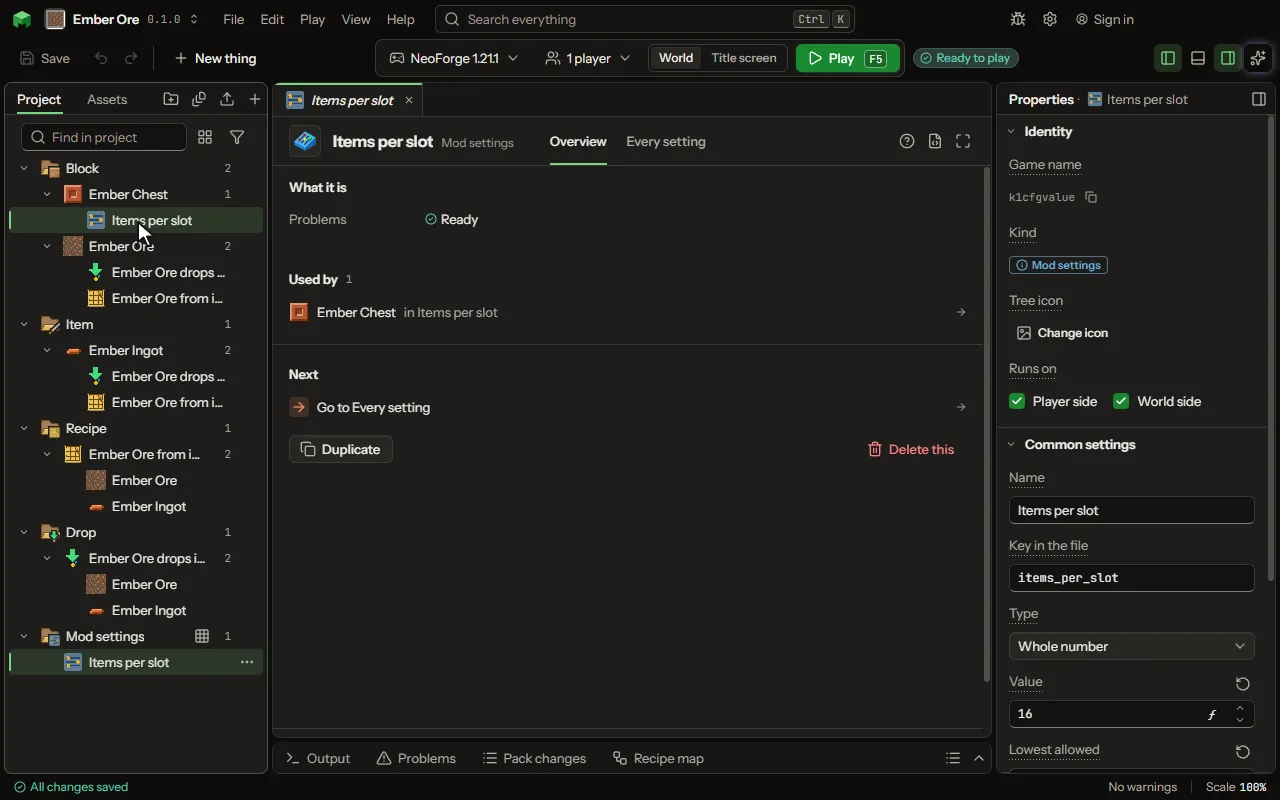
Mod settings editor
A setting players can change after the mod is built, in its settings file: a number, on or off, one word out of a list, or a list of entries they edit.
How to add it#
- New thing > Logic and code > Mod settings
What you can set#
| Setting | What it does |
|---|---|
| Name | What the setting is called in the config screen. |
| Key in the file | The name of the setting in the settings file: letters, digits and underscores. |
| Type | What the setting holds: a whole number, a decimal such as a chance, on or off, one word out of a list you make, or a list of entries each with a few fields. Choose one of: Whole number, Decimal, On or off, A choice of words, A list of entries, Text. |
| Text | The words it holds until a player changes it. |
| Longest allowed | The most letters the settings file accepts. 0 means any length. |
| Value | What it is until a player changes it. |
| Lowest allowed | The settings file refuses anything below this. |
| Highest allowed | The settings file refuses anything above this. |
| On | Whether it is on until a player changes it. |
| Words | The words a player may choose from: small letters, digits and _. |
| Chosen | The word it is until a player changes it. |
| Which file | Common is one file for everyone; client is each player's own; server lives with the world. Choose one of: Common, Client, Server. |
| Each entry has | The fields every entry of the list has, each with its name in the file and what it holds. Each row has: Field, Holds. |
| Entries | The entries the file starts with, one a line, each field as name=value with ; between them. The player adds, changes and takes away entries in the file. |
| Comment | A line written above the setting in the settings file. |
What it becomes in the game#
It is written into the mod when you Cook or press Play.
What it works with#
It does not point at other things.
These point at it: Recipe, Machine recipe, Station recipe, Ritual, Feature.
Picture#