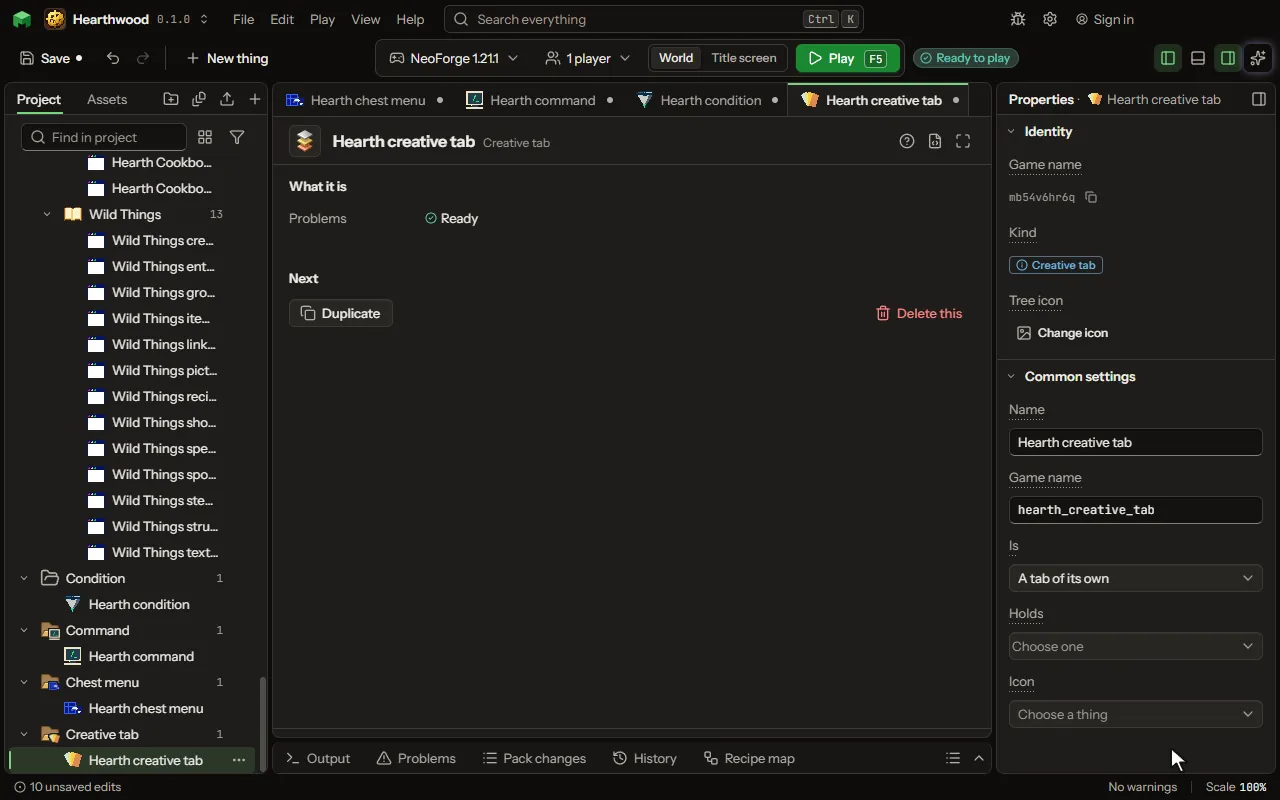
Creative tab
A tab of the creative inventory with the things you put in it, or your things added to one of the game's tabs.
How to add it#
- New thing > Screens and guides > Creative tab
What you can set#
The main settings are below. The Creative tab editor lists every setting.
| Setting | What it does |
|---|---|
| Name | What the tab is called in the creative inventory. |
| Game name | The tab's game name inside the game, in small letters. The Name is what players read on the tab. |
| Is | A tab of its own beside the game's, or the things added to the end of one of the game's own tabs. Choose one of: A tab of its own, Added to Building Blocks, Added to Colored Blocks, Added to Natural Blocks, Added to Functional Blocks, Added to Redstone Blocks, Added to Tools & Utilities, Added to Combat, Added to Food & Drinks, Added to Ingredients, Added to Spawn Eggs. |
| Holds | The things in it, in this order: yours and the game's. Yours in a tab of its own leave the mod's main tab. |
| Icon | What the tab shows on itself; with none, the first thing it holds. |
What it becomes in the game#
It is not part of the game itself: it describes another mod or a file, so it has no side to choose.
What it works with#
Picture#