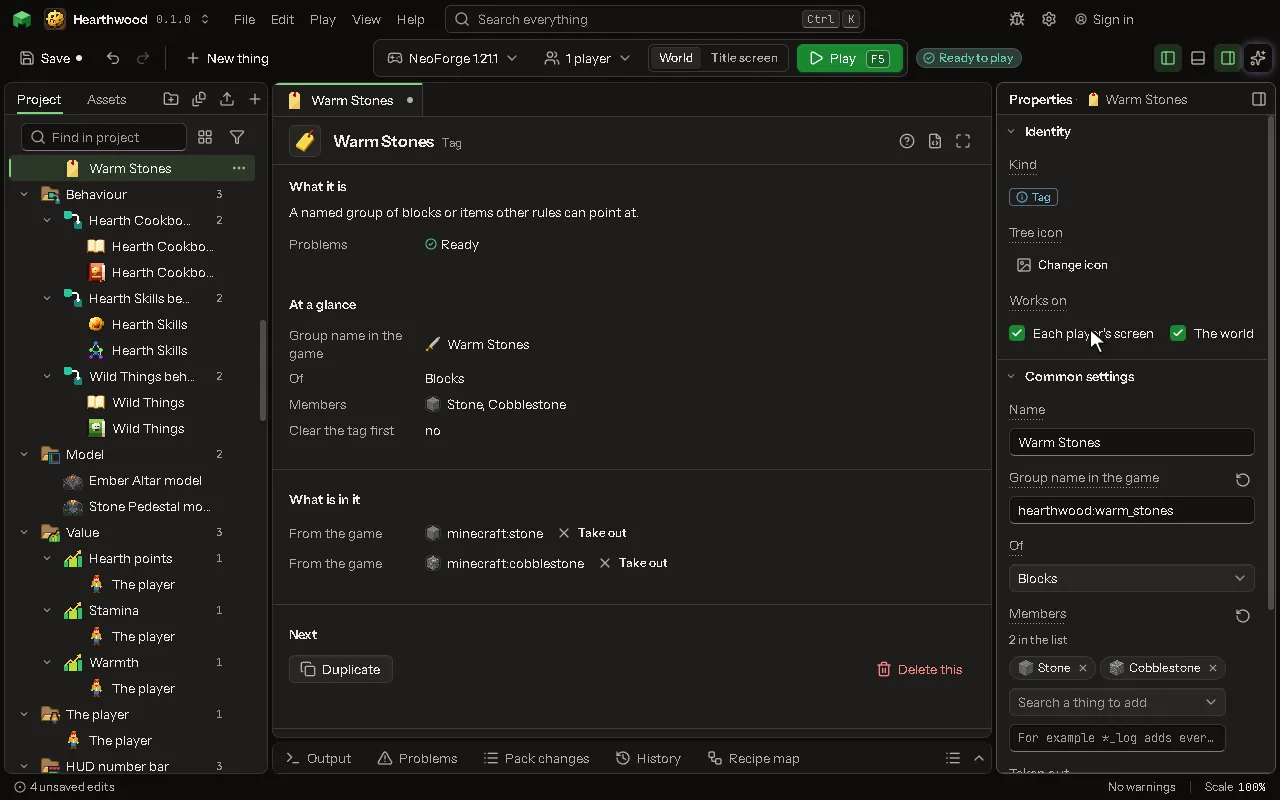
Tag
A named group of blocks or items other rules can point at.
How to add it#
- New thing > Logic and code > Tag
What you can set#
The main settings are below. The Tag editor lists every setting.
| Setting | What it does |
|---|---|
| Name | What you call this group. |
| Group id | The game's id for the group, like minecraft:mineable/pickaxe. A vanilla one gets your members added; a new one is yours. |
| Of | What the group holds: blocks, items, biomes, structures, mobs, fluids, kinds of hurt or enchantments. Choose one of: Blocks, Items, Biomes, Structures, Mobs, Fluids, Kinds of hurt, Enchantments. |
| Members | The ids in the group, separated by spaces. Another group goes in with a # in front. |
| Taken out | Members taken out of the tag, whoever put them in: the game, another mod. Ids or #tags, separated by spaces. |
| Clear the tag first | Drops everything the game and other mods put in this tag. Only the members you list here stay. |
What it becomes in the game#
It is written into the mod when you Cook or press Play.
What it works with#
It does not point at other things.
Picture#